EML files are tied to Outlook and Thunderbird only, making it hard for users who don’t use these email clients to access them. In such scenarios, the need to convert EML files arises, and the best format to save these emails is HTML (HyperText Markup Language) format. Through this write-up, let’s gain the proper knowledge to perform a successful conversion. Before jumping to these methods, first let’s find out why do we need to save EML to HTML?
Why Do Users Need to Convert EML File to HTML?
HTML files offer multiple benefits over EML files. Some of the most common reasons to convert EML files are:
- HTML files are easily accessible across all web browsers.
- You get better formatting options with HTML format.
- Users can view them on any device, be it desktop or mobile.
- These files are easy to share and view.
- You can easily edit them using a text editor or web design tool.
- HTML files help users to archive data for long time.
Free Methods to Convert EML File to HTML Format
There are two free ways to convert EML to HTML. Below, we will discuss about both in detail.
Method 1. Convert EML File to HTML using Outlook
With Outlook’s ‘Save As’ feature, you can EML message as HTML. Follow the steps to do so:
- Open Outlook, then drag and drop the required EML file(s) In it.
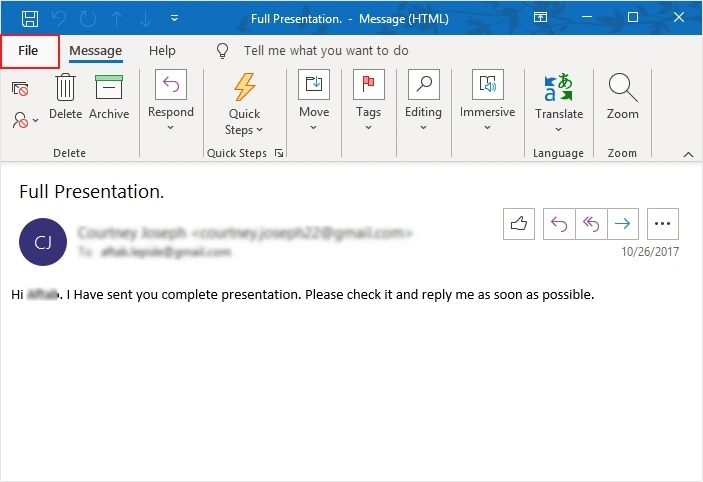
- Open the EML file in a separate window, then click File.
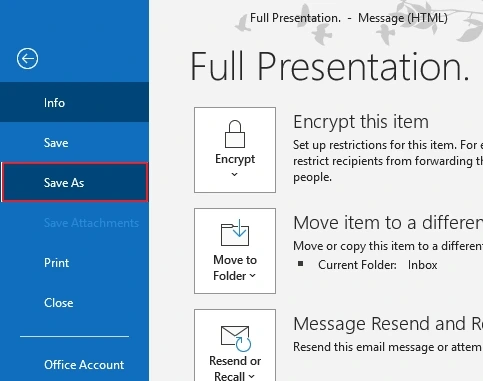
- Click Save As.
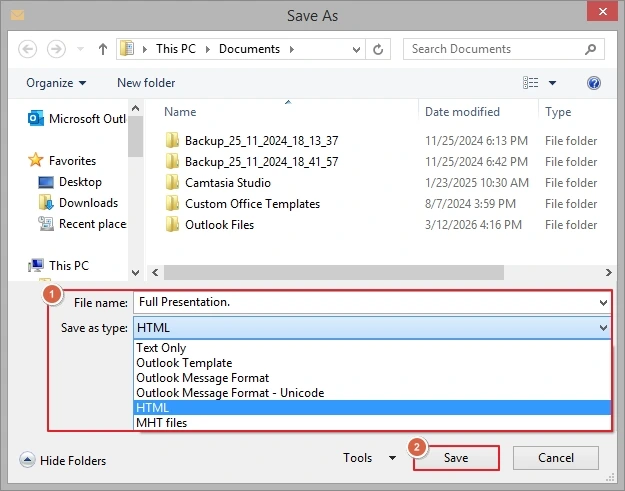
- Select HTML in Save as type and click Save.
Method 2. Convert EML File to HTML using Thunderbird
Another method to convert EML file is using Thunderbird. Here is how you can do it:
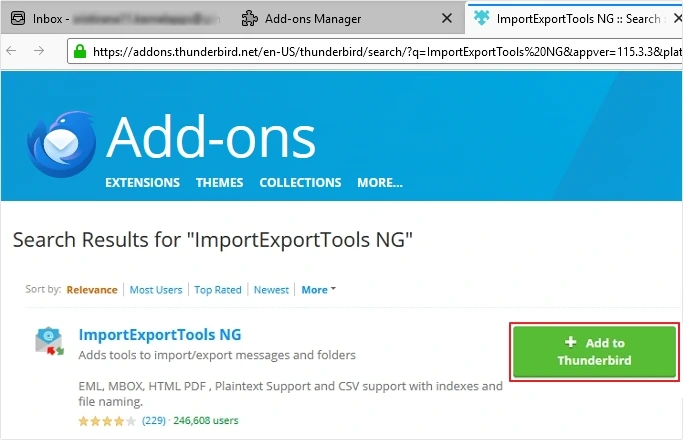
- Open Thunderbird > click three-bars >Add-ons and Themes >search ImportExportTools NG >click Add to Thunderbird.
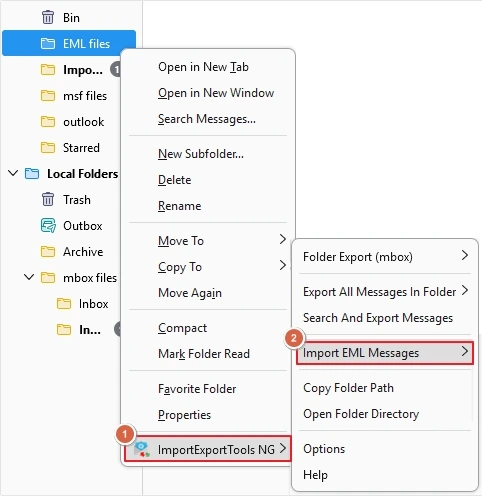
- Create a new folder to import EML files.
- Right-click on the folder, then click ImportExportTools NG >Import EML Messages.
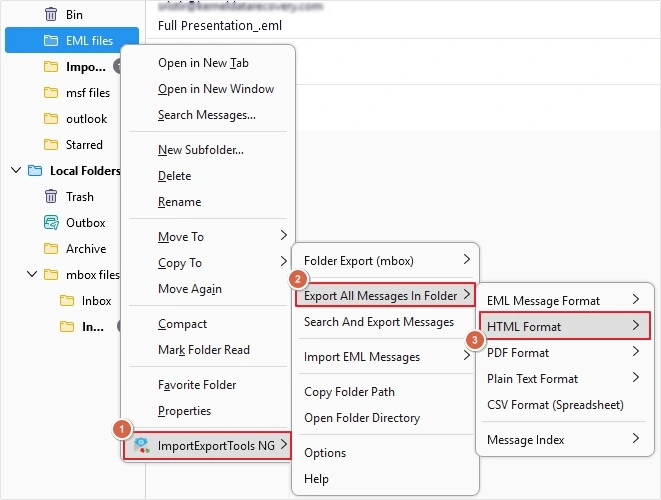
- Right-click on the folder containing EML files.
- Select ImportExportTools NG add-on, then click Export All Messages In Folder >HTML Format.
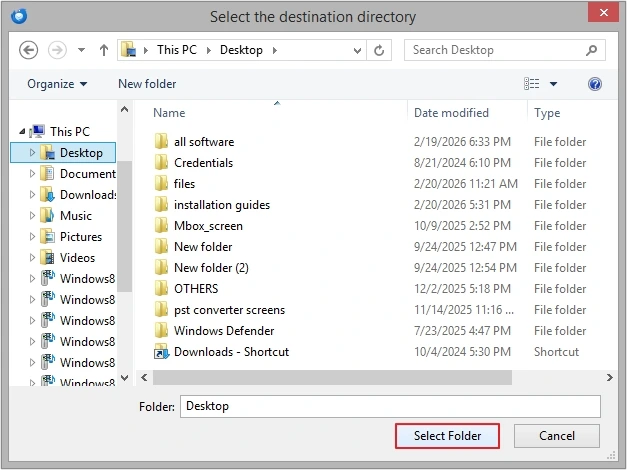
- Provide destination and click on Select Folder.
Limitations of Manual EML to HTML Conversion
Manual EML to HTML conversion comes with a lot of limitations. Here is a list of some:
- Time-consuming process: You need to repeat the same process multiple times.
- No bulk processing: Manual conversion only saves single EML file at a time.
- Risk of data loss: There are high chances of losing data during conversion.
- No structure maintained: There is no guarantee that your emails will be saved in same structure and formatting.
- Attachments handling issue: You might lose attachments during the conversion process.
When Bulk EML Files to HTML Conversion Needed
Let’s move bulk EML files to HTML via an advanced EML File to PST Converter tool. It offers multiple benefits to convert the file without any issues. Moreover, it comes with a simple interface, making the entire process simple.
- Allows to add bulk EML files, reducing processing time and efforts.
- Smart date filter for precise data conversion.
- Convert specific EML files data into HTML using advanced filters.
- User-defined saving location for easy data accessibility.
- Offers option to save email attachments in a separate folder.
- Supports all versions of Windows operating systems.
- The free version of the tool allows you to convert 10 items per folder.
Conclusion
You can convert EML to HTML with three methods, i.e., with Outlook and Thunderbird and an advanced utility. Outlook and Thunderbird works for small data conversion, but if you need to convert bulk data then you can choose KDR EML to PST Converter.
Frequently Asked Questions
A. You can use Outlook or Thunderbird to convert EML to HTML files manually.
A. You can use KDRTools EML to HTML converter software to convert multiple EML files to HTML in bulk. It offers great benefits for smooth conversion experience.