Key Benefits of KDR OST to PST Converter
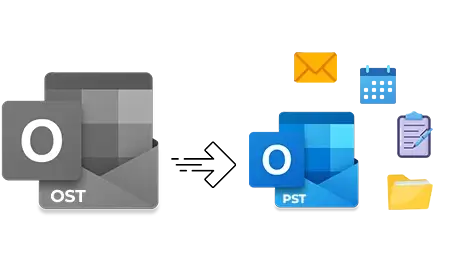
Go through our KDR OST to PST Converter software's advanced functionalities for a secure and hassle-free OST to PST conversion.
- Convert emails, contacts, calendars, and other data from OST to PST.
- Convert single or multiple OST files to PST, MSG, and 7+ other formats.
- Extract email addresses from emails to XLSX, CSV, and Outlook Native CSV.
- Save all attachments (image, video, document, etc.) with or without extensions.
- Convert OST to PST file and save it to desired location on local system.
- Retain metadata, email formatting, read/unread status, and structure.
- OST to PST conversion tool provides option to split large resultant PST files.
- Advanced Date filter and multiple export options for precise conversion.
Prime features of KDR OST to PST Converter tool
Check out the top features of the OST to PST Converter tool to easily convert OST files into 9+ major file formats:
Convert single/ multiple OST files
Use the OST to PST Conversion tool that allows you to add single or multiple OST files for easy conversion to PST files. Convert bulk Outlook data files without any limitations and get all your emails, contacts, attachments, and other mailbox data.
Auto-locate OST files
The OST to PST Converter software comes with a “Search files across your PC” option to automatically locate all the OST files from your system. Users just need to select the preferred drive, and the tool will easily find and show all the OST files.
Support multiple output formats
Run the OST file to PST converter to export OST files to MBOX, PST, MSG, EML, PDF, TXT, and DBX file formats. Easily save all your OST file data in any preferred file format and access OST data in multiple email clients.
Extract OST email addresses
Allows easy extraction of email addresses from Email items, Contacts, Calendars, Tasks, and Journals. Save the email addresses to CSV, XLSX, and Outlook native CSV file within the folder structure at your desired drive.
Extract OST attachments
Download and save attachments from the OST emails (with or without extension) in the original raw format. The tool allows easy extraction of all types of attachments, including images, documents, zip files, etc., from multiple OSTs at once.
Get quick email preview
Provides a clear and detailed preview of the emails stored within the OST files for easy email selection. View your OST email with the metadata and other email properties before conversion.
Split large output PSTs
Manage large mailboxes using the Split PST feature to export multiple small PST files. Get your PST file split into different sizes, such as 1 GB, 2 GB, 3 GB, etc., for easier management in any Outlook version.
Detailed Log Report
Get a detailed log report of every failed item conversion with proper reasoning. The tool will save a log report in a TXT file containing all the failed conversion items with an explanation in the software’s installation folder.
Free Trial Version
Our OST to PST Converter comes with a trial version that allows users to convert 25 items per folder for free. Examine the robust functionalities of the software before upgrading to the licensed version.
No Need of Outlook
Designed with zero dependency on Outlook or Exchange Server, the advanced utility easily converts your OST files to PST with no prior installation of any kind of external software.
Easily convert inaccessible bulk OST files into usable PST format.
How to Convert OST file to PST formats?
With the KDR OST to PST Converter software, you can convert your files with the following few steps:
- Step 1: Install and launch KDR OST to PST Converter and click Add Source.
- Step 2: Click Browse and select OST files from your system. Click Open.
- Step 3: The software will show a list of all selected OST files and folders.
- Step 4: Select the desired emails from the mailbox and get a detailed preview.
- Step 5: In the Save as options, click Export to convert your OST mailbox.
- Step 6: Now, select output type as PST, and check Split PST after to manage large files.
- Step 7: Apply Date Filter and select the saving destination folder. Click Export.
- Step 8: The software will start exporting OST files to PST.
- Step 9: Finally, software will pop up a “Export Completed” message. Click Done.
Additional benefits with KDR OST to PST Converter
The OST to PST Converter tool comes with additional benefits that showcase why this tool stands out in the market:
Simplified email sorting
Sort the emails with the advanced email sorting feature to find selective emails from multiple ones. Use multiple parameters, such as From, To, CC, BCC, Subject Body, Read/Unread, Attachments, and Date, for easier selection.
User-friendly interface
With a simple and self-explanatory interface, the OST to PST tool is ideal for all technical or non-technical users. No need for any technical prowess. Just install the tool, and you are ready for OST conversion.
User-Specific OST Conversion
The free OST to PST Converter tool allows you to convert selective OST file data according to your needs. It offers date filters and multiple export options, including skip empty folder, to make sure fast and precise OST to PST conversion without any hassle.
Highly compatible
Our OST to PST Converter tool is fully compatible with all versions of Windows OS and Outlook. Download and run the tool in Windows 11, Windows 8, Windows 7, and all the prior versions.
Frequently asked questions
Here are the answers to all the commonly asked questions about the KDR MBOX to PST converter tool.
How can I convert bulk OST files to PST?
Here is the step-by-step process to convert bulk OST files to PST:
Step 1: Download, install, and launch the KDR OST to PST Converter software.
Step 2: Click Add Source and add bulk OST files to the tool.
Step 3: Get a detailed preview before conversion and click Export.
Step 4: Select the Output file as PST and apply multiple filters.
Step 5: Select desired saving location and click Export to start OST to PST conversion.
Step 6: After a successful conversion, the tool will pop up Export Completed message. Click Done.
Does the software assure the security and confidentiality of my OST file during conversion?
Yes, our OST to PST Converter tool promises complete data security during the conversion process. The software keeps all your data confidential and does not save your OST data.
Can I convert OST file to PST that is over 200 GB in size?
Yes, with this OST to PST converter tool, there are no restrictions on the OST file size, be it 50 GB or 200 GB.
Can I automatically find and add my OST file to this software?
Our OST to PST Converter software has an advanced Search File across your PC option to find OST files from your selected drive. You just need to select the drive, and the software will automatically fetch all the OST files and convert them as per your convenience.
Is it possible to manage my large OST file using this software?
With the OST to PST file converter software, you can easily manage your large mailbox after converting OST to PST. The tool provides an option to split the PST, which helps you divide the large file into multiple PSTs of a smaller size.
Can I use the features of the tool before making the final purchase?
Yes, you can download OST to PST converter free software, which allows you to export 25 items per folder. After exploring the advanced functionalities, you can try out full version of the tool to convert entire OST file.
How to recover deleted emails from the OST file?
When you add the OST file from which the emails were deleted, the tool scans and shows all the emails along with the deleted items from the mailbox. You can recover and save the items within the PST file without any hassle.
Can this software help me migrate OST emails to Gmail account?
Yes, apart from the OST to PST file conversion, the tool allows you to transfer data directly to Gmail or other web-based email clients.